
Join Tom on his adevntures across the Salesforce ecosystem

Salesforce Summer '26
Tom Rook - 01 Jul 2026
Another 3rd of a year passed, another release another time for me to be late. But fear not dear viewer I remembered how to post and this information is just about relevant. If you haven’t had a poke around yet allow me to take you on a tour of the best flow features that Summer ‘26 had to offer!
Use Date Operators in Decision Logic
Super cool logic! So many options, no more creating formulas or fields to try and perform these operations. If the field is date type (crucially not date time, so this doesn’t work on Created Date for instance) then you can use:
- Is Today
- Is Anniversary of Today
- Last Number of Days
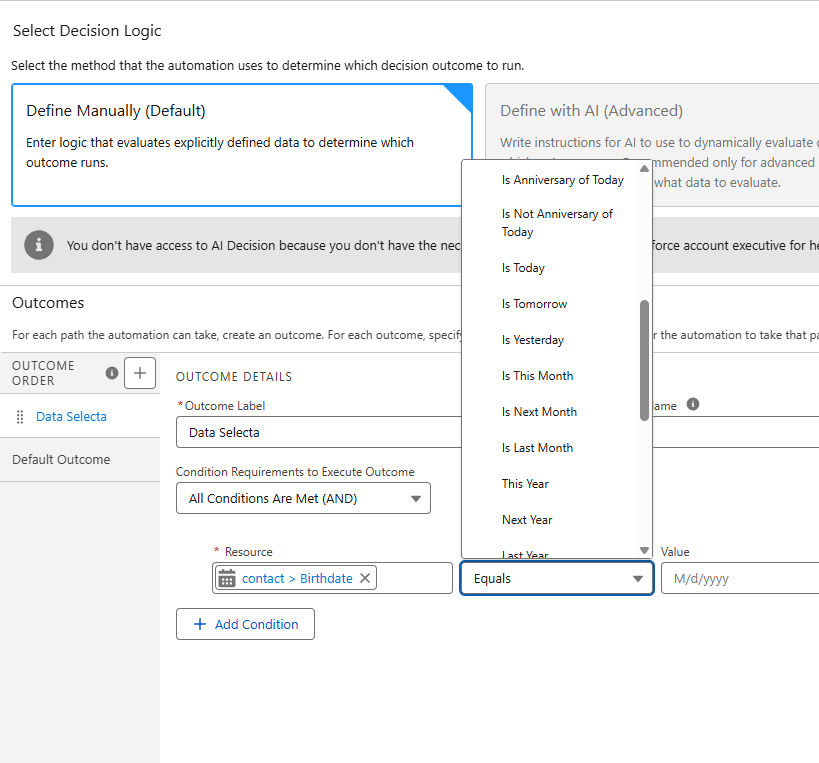
Use Date Operators in Decision Logic
Better flow errors
More flow love, less errors!
Visualize the Execution Path When Testing a Screen Flow
Debugging in screen flow has long lagged behind the same helpful UI for record triggered flows, now this is a step in the right direction! This did throw me for a loop as they use the word “testing” in the release notes, however you can’t create tests for screen flows… so “manually testing” is just debugging, don’t know why they choose this language but they did.
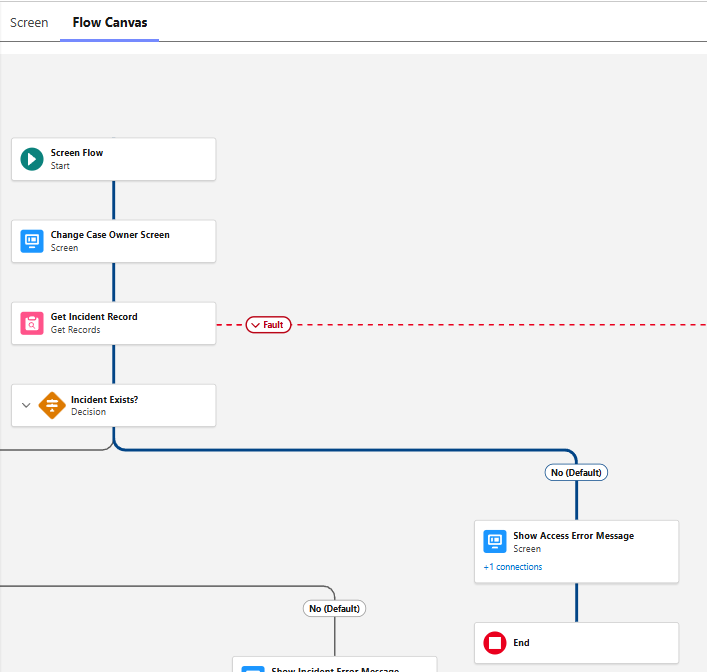
Visualize the Execution Path When Testing a Screen Flow
Review Flow Errors and Warnings with the Redesigned Validation Panel
No more getting interrupted mid flow as the validation panel can be brought up when you choose in draft flows. Issues are grouped by element as well, super handy!
Review Flow Errors and Warnings with the Redesigned Validation Panel
Troubleshoot and Fix Flow Errors with Agentforce (Beta)
What do I make of this? Well it’s certainly interesting, however there is an arduous amount of setup here for running an XML through an LLM. Even if Salesforce does provide the context.
Troubleshoot and Fix Flow Errors with Agentforce (Beta)
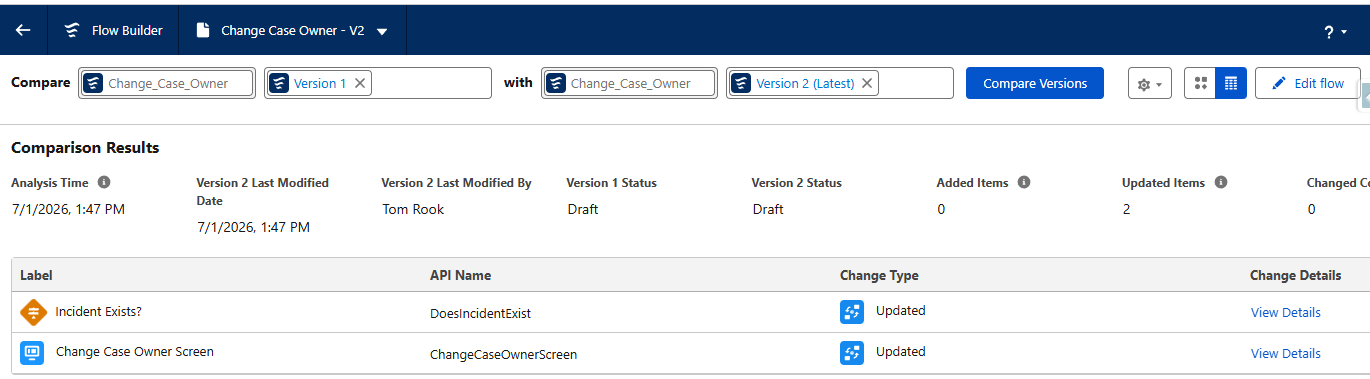
Identify Flow Version Changes at a Glance
Check what changed and what didn’t when you view a flow! This is actually a very helpful feature that myself and a colleague used recently to have to work out how I had broken one of their flows, the UI I have to say is very nice.
View as a table:
 View on the canvas:
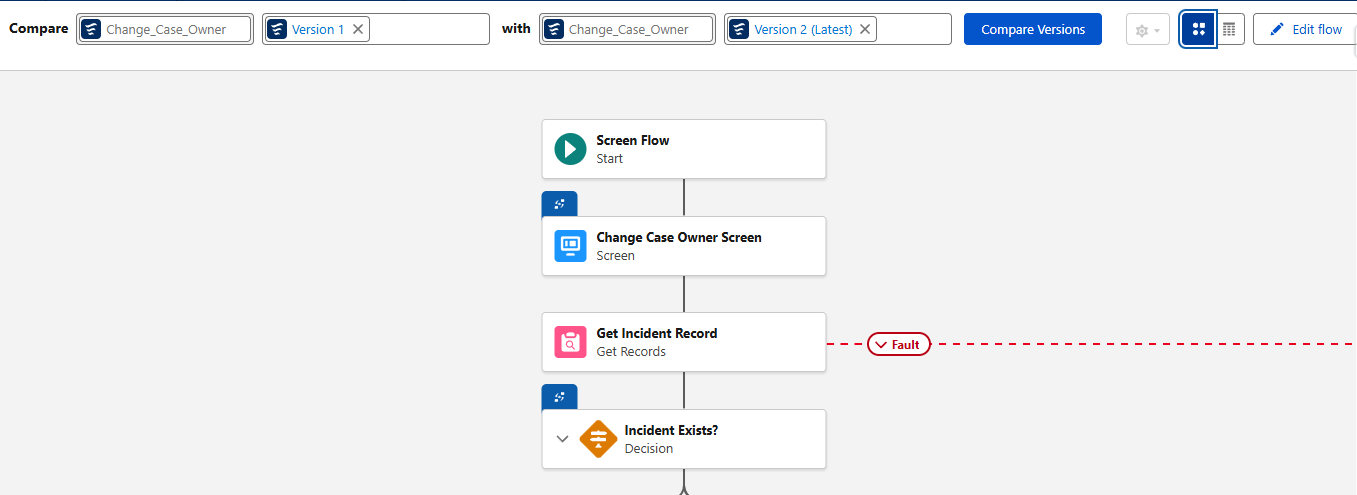
Identify Flow Version Changes at a Glance
Require Unanimous Approval for Approval Steps Assigned to Groups
The drive to feature parity with so called “Classic Approvals” continues, now we can do unanimous decisions for groups!
Require Unanimous Approval for Approval Steps Assigned to Groups
Honourable mention
Approval Designers Can Now View Flow Dependencies - I’ll be honest I didn’t know this permission set existed, basically users can make approval flows without the manage flows permission and with this release they can now view any flow dependencies.
Approval Designers Can Now View Flow Dependencies
“Users with the Approval Designer permission can now view flow dependencies for their flow approval processes in the Approvals app. Previously, only users with the Manage Flow permission had access to this information.”
Avoid Manually Fixing Email Template References After Deploying Flows
No more breaking email templates on deployment! I’ll let the release notes say it all:
The action stores the selected template as a reference that persists across deployment environments. Previously, the Send Email action saved the selected email template as a template ID.
Avoid Manually Fixing Email Template References After Deploying Flows Across Environments
I hope you get to check these flows features out in your orgs, there are some real gems in here! My personal favourite being that last one, no more email templates logged as IDs!
tags: SalesforceFlow - Automation - Approvals - ReleaseNotes